
📍 Key Remote Control Facts:
- Control Range: Up to 10m (33ft) - shorter through walls/obstacles
- Water Resistance: ❌ Not waterproof - never use underwater
- Power Limitation: Can only control recording/power-on camera - ❌ cannot power on/off camera
🔷 Remote Type 1: Auto-Connect Model
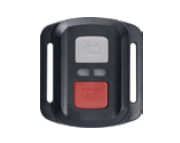
Setup:
- Turn on the camera
- Remote automatically pairs - no setup needed
▶️ Demo Video: how to connect to the remote
Troubleshooting:
| Issue | Solution |
|---|---|
| No LED lights | Replace CR2032 battery |
| Both LEDs lit | Reset: Remove battery > Wait 30 sec > Reinsert |
| Still unresponsive | 1. Try the firmware update 2. Factory reset camera |
🔶 Remote Type 2: Manual-Pairing Model
(For Brave 7/8 Series)
Pairing Process:
- Turn on camera → Go to
Settings > Remote > ON - Press & hold Shutter + Mode buttons simultaneously for 5 seconds
- Watch LEDs:
- Flashing red/blue → Pairing
- Solid blue → Paired successfully
▶️ Demo Video:
Troubleshooting:
| Issue | Solution |
|---|---|
| LEDs flash but won't pair | 1. Charge remote fully (2hrs via USB-C) 2. Retry pairing sequence within 1m of camera |
🛠️ Advanced Support Required?
If issues persist after all steps:
- Record a 30-second video showing:
- Remote LED behavior
- Camera response
- Pairing attempt
- Provide this information:
   • Camera model: __________
   • Firmware version: __________
   • Country: __________
Questions? Click to email us: cs@akasotech.com
Comments
0 comments
Please sign in to leave a comment.